
What This Article Covers
As covered in How Foundry Actually Stores Data, Foundry first loads raw data into a Dataset as-is (ELT), then refines it in a later stage. Pipeline Builder is the tool that actually builds that “later stage,” and Code Repository is the tool for managing complex logic that’s hard to express through a GUI, in code. These two tools aren’t competitors — they’re two ways of building the same pipeline. This article covers when to use which, and how they actually get combined in practice.
Pipeline Builder — Assembling a Pipeline by Drag and Drop
A pipeline is structured as a directed acyclic graph (DAG). No cycles means it’s always clear where data starts and where it ends, and it also makes parallel processing possible. A pipeline usually breaks into three sections.
| Section | Role |
|---|---|
| Source | Reads a source Dataset from an RDBMS, API, file, etc. (including schema inference) |
| Transform | The core logic that cleans, processes, and merges data |
| Sink | Loads the final result back as a Dataset (mapped later in Ontology Manager) |
Transforms split broadly into row-level and dataset-level operations.
Row-level transforms
- Cast/Type Conversion: converts strings into date or numeric types. A bad cast turns into a runtime error, so you need to define null handling alongside it.
- String Manipulation: trimming whitespace, case conversion, regex-based pattern extraction.
Dataset-level transforms
- Filtering: drops unnecessary records early, cutting the volume every downstream step has to process.
- Joining: combines different Datasets on a key. If one side is small enough, a broadcast join cuts down shuffle cost.
- Aggregation: GROUP BY-style aggregation. In a distributed environment, partitioning strategy is what determines performance here.
The Pipeline Builder GUI is optimized for exactly this level of filtering, joining, aggregating, and type conversion. Its biggest strength is that any team member can look at the screen and understand the whole flow, no code-reading required.
Code Repository — Managing Complex Logic as Code
For anything a GUI struggles to express — branching logic with several layers of overlapping conditions, or a function reused across multiple pipelines — you write it directly in Python (PySpark) or SQL inside the Code Repository. The core idea is “everything as code”: define the logic itself as code, and change history, code review (pull requests), automated tests, and rollback when something breaks all happen inside the same Git workflow.
Here’s the difference between managing a pipeline through a plain GUI versus through Code Repository.
| GUI-based (Pipeline Builder) | Code-based (Code Repository) | |
|---|---|---|
| Change history | Hard to trace | Fully recorded as Git commits |
| Reuse | Rebuild in every pipeline that needs it | Package as a function/module and import it wherever needed |
| Review | No formal approval step | Merged only after code review via pull request |
| Recovery | Hard to revert to a prior state | Roll back instantly to the last known-good commit |
Foundry’s Code Repository builds this workflow directly into the platform, so branches, PRs, and code review all work natively, with no external Git server needed.
The Workflow Teams Actually Use
- Build the simple stuff in Pipeline Builder first: filters, joins, and aggregations at a basic level go together quickly in the GUI.
- Pull out only the parts that get complex, into Code Repository: if there are multiple layers of conditional branching, or the same logic needs to be reused across other pipelines, turn just that part into a function.
- Write the Transform function: define a PySpark function that takes an input Dataset and returns a processed output Dataset.
- Run a Build: execute the code to actually create or update the Dataset. This build history is captured directly in Data Lineage.
- Pull request and review: a colleague reviews the code before changes get merged.
- Auto-applied after merge: once merged, the change flows into the production pipeline. Going forward, the same Transform should produce the same output from the same input every time it runs (idempotency).
How This Relates to Neighboring Concepts
Whatever Pipeline Builder and Code Repository produce is, in the end, a Dataset. That Dataset only becomes part of the Ontology once it’s mapped to an Object Type in Ontology Manager. And as pipelines get more complex, tracing “where did this Dataset actually come from” matters more — that’s the territory of the separate Data Lineage tool.
What the Code Looks Like in the Code Repository
In PySpark, the promotion-period exception looks roughly like this:
from transforms.api import transform_df, Input, Output
from pyspark.sql import functions as F

@transform_df(
    Output("/sales/daily_category_summary"),
    orders=Input("/sales/orders_raw"),
    promo_periods=Input("/sales/promo_periods"),
)
def compute(orders, promo_periods):
    joined = orders.join(
        promo_periods,
        (orders.order_date >= promo_periods.start_date) &
        (orders.order_date <= promo_periods.end_date),
        "left"
    )
    return joined.withColumn(
        "effective_price",
        F.when(F.col("promo_periods.start_date").isNotNull(), F.col("cost_price"))
         .otherwise(F.col("sale_price"))
    ).groupBy("order_date", "category").agg(
        F.sum("effective_price").alias("daily_total")
    )
Expressing this in Pipeline Builder blocks means editing a join-condition block by hand every time the promotion list changes. In code, just updating the promo_periods dataset is enough, because the condition itself has been separated out as data.
Pipeline Builder or Code Repository?
| Situation | Best tool |
|---|---|
| Simple filter, join, aggregate | Pipeline Builder |
| Conditional branching that changes often | Code Repository |
| Non-developers must understand the flow at a glance | Pipeline Builder |
| Unit tests and version control matter | Code Repository |
| You need external libraries (statistics, ML) | Code Repository |
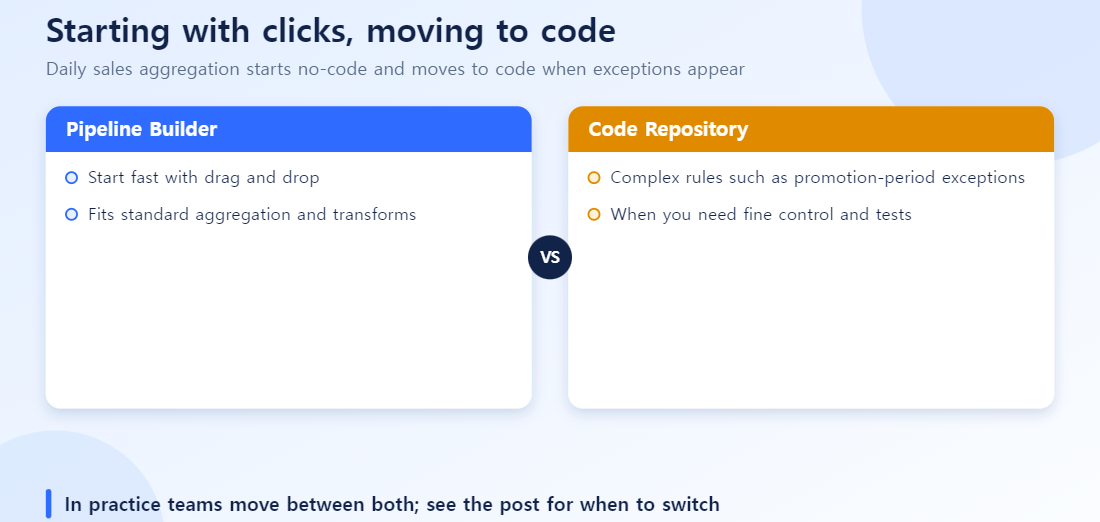
The two are not mutually exclusive. It is common to build a simple front stage in Pipeline Builder and a complex back stage in code within the same pipeline.
Common Mistakes
- Writing code for something the GUI could handle: simple filters and joins are faster to build in the GUI, and easier for another team member to maintain later. Code Repository is meant for complex conditional branching or reusable logic the GUI can’t express.
- Cramming all the logic into one Transform: handle Filter → Project → Aggregate → Join as one giant Transform, and when something breaks, it’s hard to tell which stage caused it. Split it into modular steps and both debugging and reuse get easier.
- Committing straight to the main branch without a PR: the whole point of code-based management is catching mistakes during review. Skip that step and you’re no better off than a plain GUI pipeline.
- Not accounting for schema drift: columns getting added or types changing in source data happens constantly in practice. Build a pipeline with no schema validation, and every time the source changes, downstream steps break silently or pass through bad values.
- Ignoring idempotency: if running the same logic twice produces a different result (e.g. logic that only ever appends), reruns and reprocessing end up duplicating or corrupting data.
What to Read Next
For how a pipeline’s Dataset gets mapped into the Ontology, see the Ontology Manager practical guide. For how to trace the path this data took to get here, see Data Lineage.
Frequently Asked Questions
Q. Which should I learn first, Pipeline Builder or Code Repository?
If you’re mostly doing simple transforms, Pipeline Builder gets you moving faster. Teams usually shift to Code Repository once logic gets complex or multiple people need to manage code together.
Q. Can I mix the two tools?
Yes. It’s common in practice to build part of a pipeline in Pipeline Builder and connect just the complex portion built in Code Repository.
Q. What languages does Code Repository support?
Python, SQL, Java, and more — you can pick based on your team’s existing codebase and skill set.
Q. Does a pipeline’s output reflect in the Ontology automatically?
Only once the Dataset a pipeline produces is mapped to an Object Type in Ontology Manager. The pipeline itself doesn’t update the Ontology automatically.
Q. What’s the most common mistake?
Writing all logic in Code Repository from the start, which balloons the maintenance burden. It’s easier to maintain if you leave simple transforms in Pipeline Builder and move only the complex parts to code.