
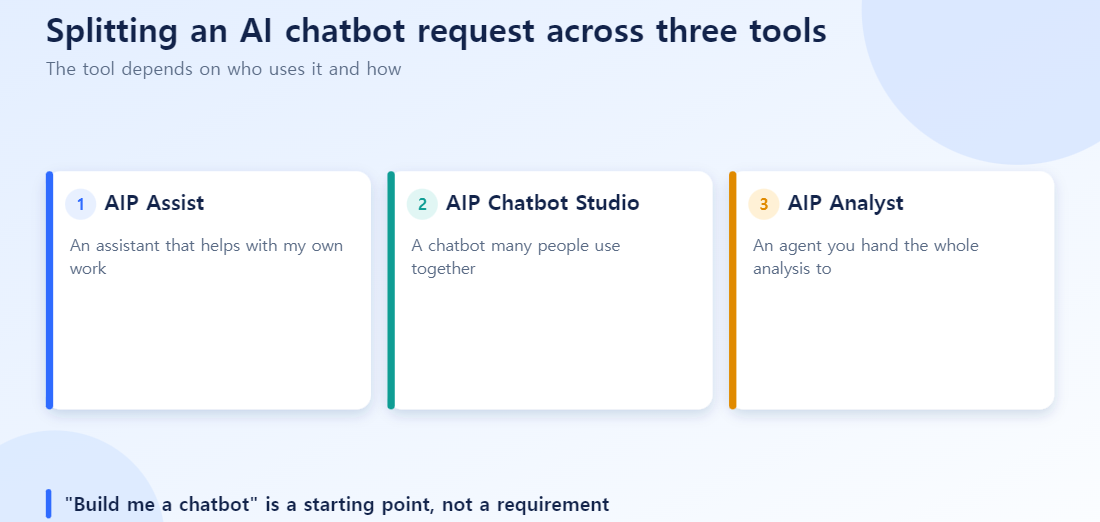
You often hear a request like this at work: “just build us an AI chatbot.” But that single request can actually be hiding three completely different situations. An accountant wanting to speed up their own recurring task, building a shared HR help desk for 500 employees company-wide, and asking AI to run an entire data analysis autonomously all call for completely different designs. AIP addresses these three situations separately, as Assist, Chatbot Studio, and Analyst.
AIP Assist — “A Personal Assistant for My Own Work”
Say an accountant has a monthly revenue rollup they do every month. Rewriting a slightly different version of the same SQL every time gets old.
AIP Assist is a personal productivity tool that handles query writing, code generation, and data analysis from natural-language commands. What sets it apart from a generic chatbot is that it responds with an understanding of the company’s Ontology, data schema, and permission system already baked in. It doesn’t just tell you information — it can actually carry out the work.
- Searches internal data and schema in real time via Ontology-based RAG
- Automatically handles multi-step tasks using Tool Use
- Fully respects RBAC permissions, and everything it does is captured in an audit log
The more specific the request, the more accurate the result — “roll up last 3 months of revenue by region” works, but “roll up last 3 months of Region A revenue by month, and show the year-over-year change too” works better.
AIP Chatbot Studio — “A Shared Front Door for Many People”
Now say you’re building a company-wide HR help desk. A different problem shows up here. If you let an LLM handle even standardized questions like “how many vacation days do I have left” entirely on its own, the format and accuracy of the answer can vary from person to person.
Chatbot Studio is a no-code/low-code tool for designing and deploying conversational interfaces for many users. Its approach is hybrid.
- Standardized tasks get pre-built scenario-based branching (“check my vacation balance” always gets answered the same accurate way)
- Open-ended questions are answered by an LLM using RAG over internal documents to find relevant context
- You can validate quality with a live simulator before deploying
The distinction from Assist is clear: Assist is “a personal assistant that cuts down individual repetitive work,” while Chatbot Studio is “a shared front door for many people.”
AIP Analyst — “An Agent You Hand an Entire Analysis To”
The third situation is more ambitious. It’s for cases where a single question — like “find the common patterns among this quarter’s churned customers” — needs multiple stages of analysis to answer.
AIP Analyst goes beyond writing SQL — it’s an autonomous agent that automates everything from planning the analysis, to executing it, to verifying the result. It runs a repeating think-act-observe loop, with multiple agents in different roles collaborating, and generally works off schemas and summary statistics rather than raw data wholesale.
It isn’t fully autonomous, though. Important conclusions still go through a human review-and-approval step. Just because AI found a churn pattern doesn’t mean you reallocate the marketing budget immediately — a human still has to check the evidence once.
The Same Request in Three Tools
Throw “I want to know why churn rose this quarter” at each of the three tools and the differences are sharp.
AIP Assist: an individual asks something specific, such as “List churned customers over the last three months and their common traits.” It is a personal work assistant, so the person must continue the analysis from the result.
Chatbot Studio: ask a shared team chatbot “Why did churn rise?” and it first responds with a predefined scenario (for example, “churn question, so link the latest churn report”), then lets the LLM answer free-form for details not in the report. Scenarios own the numbers that must be exact; the LLM handles context.
AIP Analyst: it decomposes the request itself, running churned-customer segment analysis, then common-variable discovery per segment, then statistical validation of significant factors, autonomously across multiple steps. A human only reviews the final conclusion.
Even for the same question, the right tool depends on who asks, how often, and how deep the analysis needs to go.
How to Choose
| Situation | Recommended approach | Why |
|---|---|---|
| An individual or small group wants to cut down repetitive work | AIP Assist | Specialized for individual work support |
| Multiple departments or customers need a shared front door | Chatbot Studio | Scenario + LLM hybrid keeps answers consistent |
| You want to hand off an entire analysis process | AIP Analyst | Specialized for multi-stage autonomous analysis |
The three aren’t mutually exclusive. In practice, it’s common for Assist or Analyst to handle the actual work behind Chatbot Studio’s front end — for example, an HR chatbot (Chatbot Studio) that hands off complex payroll calculations to Assist, and quarterly turnover-rate analysis requests to Analyst.
Common Mistakes
Asking Assist vague, open-ended questions. As mentioned above, specific requests produce far more accurate results than open-ended ones.
Trusting the LLM alone in Chatbot Studio for tasks that must be exact. Information that can’t be wrong — vacation balances, payslip figures — should always go through scenario-based branching. Reserve the LLM for open-ended questions only.
Delegating exception-heavy analysis entirely to AIP Analyst. The more autonomy, the more verification burden. Letting results go straight into action without anyone checking them is risky.
Treating any auto-generated result as a finished product, across the board. All three tools give you a “starting point” — none of them hand you a finished product you can use without review.
Six things to confirm when you get an ‘AI chatbot’ request
- Have you decided whether the user is one person (personal assistant) or many (a shared desk)?
- For structured questions (such as leave balance), have you judged whether an LLM alone is enough or a fixed path is needed?
- Is the request to automate the whole analysis, and have you identified where humans must check?
- Does each tool follow your existing permissions and audit records?
- Have you prepared a set of representative questions to compare answer quality?
- Have you decided who is accountable and fixes wrong answers?
Quick answers
Q. Can I start with Assist and move to Chatbot Studio later?
You can, but the purposes differ. After confirming value as a personal helper, moving to a shared desk means redesigning permissions, answer format, and evaluation.
Q. Why does a shared chatbot give different answers to different people?
Because the LLM composes sentences anew each time. For structured questions, use a fixed path or template to align format and accuracy.
Q. Is an analyst-style tool that analyzes on its own always better?
The wider the automation, the heavier the verification burden. If it feeds important decisions, add a step to check intermediate results and evidence.
Frequently Asked Questions
Q. Do I have to pick just one of the three?
No. Combining them, as described above, is more common in practice. You can unify the user-facing front door as a single Chatbot Studio interface, and call Assist or Analyst behind the scenes as needed.
Q. Where should I start if this is my first rollout?
Start with individual work support (Assist), which has narrow scope and low risk, then expand to a multi-user Chatbot Studio once the pattern is validated. Analyst is safer to try only after your Ontology and data structure are sufficiently mature.
Q. Do all three tools require an Ontology?
Yes. All three operate on objects and the permission system defined in the Ontology. If the Ontology design is weak, performance suffers across all three.