
Summary
Ontology, in Palantir Foundry, is a model that translates a company’s real operations — objects like customers, orders, and products; the relationships between them; and the actions that happen on top of them — into a structure that software and AI can understand. The word itself comes from philosophy, but in an enterprise data context it’s a practical concept: it unifies data scattered across many tables into a single graph that both people and AI can reference and act on the same way, without joins. If your data is simple and reuse needs are low, you don’t need an ontology.
Who this is for
If you first heard the word “ontology” in Palantir news, if you have an ERP or data-analytics background and are thinking “isn’t this just data modeling,” or if you’re already building an ontology and want to understand the principles behind why it’s built the way it is — this is for you. This isn’t about stock price or investment decisions. It’s a practitioner’s take on what ontology technically is and why it matters.
The trap of the dictionary definition
Search “ontology” and the first thing you’ll find is a philosophy term — the branch of philosophy concerned with what exists and how existing things are categorized. The term genuinely does come from that philosophical tradition, and ontology languages like OWL and RDF were shaped by it. But carrying that definition straight into Palantir’s ontology will confuse you more than help, because in enterprise data it’s used in a far more practical sense.
In computer science — especially in enterprise data — ontology is a much more practical concept. It isn’t an object of philosophical inquiry. It’s a model that translates the actual work a company does into a form software can understand.
The practitioner’s definition: a map that lets software understand your company’s reality
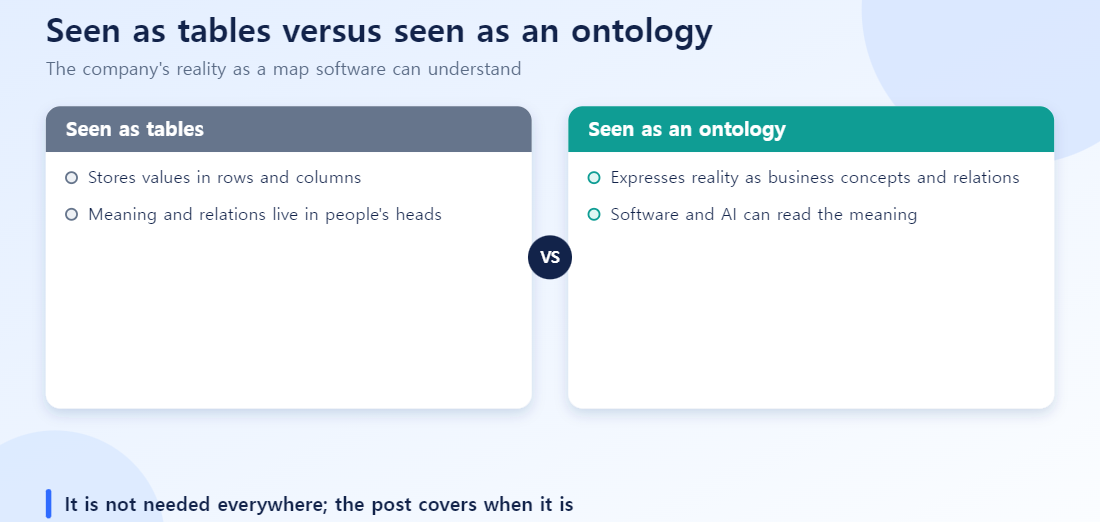
Concretely: an ontology organizes the things that exist inside a company (customers, orders, products, equipment — “objects”), the relationships between them (this customer placed this order, this product was made on this equipment), and the actions that happen on top of them (approve an order, move inventory) into a single structure.
In one line: an ontology is a map that translates a company’s reality — objects, relationships, and actions — into something software and AI can understand.
Tables vs. ontology
The clearest way to see the difference is a familiar case: orders, customers, products, shipping.
In a typical relational database, this information lives in separate tables — a customer table, an order table, a product table, a shipping table — connected only by following foreign keys through joins. Views or a semantic layer can reuse some of these joins, but a new question usually still means a person has to redesign the relationship. An AI can infer some relationships from schema, documentation, or query history, but it can’t confidently know what those relationships actually mean for the business.
From an ontology’s perspective, the picture changes.
Relationships in the ontology (as text)
- Customer — placed → Order
- Order — contains → Product
- Order — is shipped as → Shipment
- Shipment — handled by → Driver
Customer, Order, Product, and Shipment stop being independent tables and become “Objects.” The arrows between them become predefined “Links.” Once these are defined, a question like “does this customer have any recently ordered products with delayed shipping?” becomes a traversal of already-defined relationships instead of a new SQL query every time.
Looking at the mapping more concretely: inside the database you’d see technical names like TB_CUSTOMER, TB_ORDER, CUST_ID, ORDER_DT. In the ontology, these get redefined using the terms the business actually uses — Customer, Order, Customer ID, Order Date. It’s not just a renaming exercise — each item gets a description, and code values or attribute values are defined as their own objects to carry meaning. The result: connections that used to exist only as joins are promoted into business relationships a person understands — “a customer places an order,” “an order contains a product.”
How is this different from similar-sounding concepts?
The first time people encounter ontology, questions like “isn’t this just a data catalog?” or “how is this different from a semantic layer?” come up naturally. All four share the goal of “giving data meaning,” but they cover different scope.
| Concept | Primarily handles | Difference from ontology |
|---|---|---|
| Data catalog | Where data lives (metadata, lineage, ownership) | Closer to a “discovery” tool — doesn’t cover relationships between objects or actions |
| Business glossary | Unifying term definitions | Overlaps on term definitions, but has no structural relationships between terms or executable actions |
| Knowledge graph | Entities and relationships as a graph | Closest to ontology, but ontology adds an “Action” layer that can actually change real systems |
| Semantic layer | Metric and dimension definitions for BI tools | Specialized for analytics/reporting — not used as an execution foundation for applications or AI agents the way ontology is |
In other words, ontology reasonably covers the useful parts of all four (metadata, unified terminology, relationship graphs, metric definitions), then adds an “Action” layer on top — giving AI and applications an actual foundation to execute things, not just look them up.
Why this matters right now
Companies are adopting individual-productivity AI — coding assistants, document summarization — quickly. But “AI that you point at your company data and it just figures things out” tends to work worse than expected. The reason is simple: LLMs understand language well, but they have no idea what your internal customer, order, or product tables actually mean or how they connect.
Ontology closes that gap. Pre-attaching “meaning” to your data means AI can find accurate answers by following already-defined objects and relationships, instead of guessing at table names and columns.
When you need an ontology — and when you don’t
Not every organization needs one. These questions help you decide:
- Do you need a single view across data scattered across multiple systems? If customer and order data spread across ERP, CRM, and in-house systems needs to be handled through one screen or one AI query, the benefit is large. If you have a single system with simple query patterns, the cost of building an ontology may exceed the benefit.
- Do you get the same question repeatedly? If you keep getting requests like “which products are at risk of stockout this month,” it’s worth defining the objects and relationships that question needs once, as an ontology, rather than writing new SQL every time. For one-off analysis, the overhead isn’t worth it.
- Do you want to give AI execution authority, not just read access? If you want AI to actually do things — “move this inventory,” “approve this order” — not just look things up, you need Action Types. If lookups are enough, RAG-level solutions often solve the problem without an ontology.
What I learned running one in production
The project I took over already had several ontologies built, along with a fair number of screens built on top of them. But for security reasons, external AI couldn’t be connected, so there had been no chance to see how the ontology actually performed once combined with AI.
Once external AI recently opened up to individual users, I tried running analysis directly against the existing ontology through Palantir’s Ontology MCP. It didn’t go the way I expected. The object and property names in the already-built ontology weren’t cleanly organized into business terms, there were too many Links, and it wasn’t clear what each one meant — even as a practitioner, I found it hard to read and analyze. The results AI returned weren’t satisfying either.
The lesson was clear: ontology design has to start with business terms, not technical jargon, from day one — and relationships shouldn’t be piled on indiscriminately; screen design and modeling need to iterate together so you build only as much structure as you actually need. It also made me want a tool that helps with the design itself — something that takes a table, proposes business-term field names first, lets a person review and adjust them, and proposes relationships alongside. One more thing I noticed: naming things in English first, with the local language as a secondary label, genuinely helps AI performance.
Failure patterns that keep showing up
Reviewing (and building) several ontologies, these patterns kept recurring:
- Using technical names as-is for ontology names. If you keep raw column names like
CUST_MST_TBorORD_STAT_CDas Property names, both AI and people have to guess at what they mean. The whole value of an ontology is eliminating that guesswork — carrying the raw name over erases that value. - Building every relationship “just in case.” Over-building Links “in case we need it later” makes it hard to tell which relationships actually matter. The rule should be to build relationships by working backward from real business questions — only as many as you need.
- Treating design and screen-building as strictly sequential. The approach of “finish designing the ontology perfectly, then build the screen” doesn’t work well in practice. Building the actual screen (in Workshop, for example) is what reveals which properties are truly needed — so iterating design and screen-building together produces a more accurate result.
Wrapping up
Ontology isn’t a philosophy term awkwardly dragged into computer science — it started from the very practical problem of “how do we make a company’s reality understandable to AI.”
What to read next
To see in more detail how objects, relationships, and actions are actually structured, see Ontology’s Core Components. For how to standardize naming, see Ontology Naming Strategy. For the actual step-by-step process of building an ontology in Foundry, see the Ontology Manager Guide. To see why this connects to the limits of chatbot-style enterprise AI, see Why Enterprise AI Stalls at Chatbots.
FAQ
Q. What’s the difference between an ontology and a data model?
A data model focuses on how data is stored. An ontology remaps stored data into real business concepts — objects, relationships, actions — so people and AI can understand and operate on it in the same language. Think of it as a layer of meaning built on top of a data model.
Q. Is an ontology the same thing as a knowledge graph?
Both represent objects and relationships as a graph, but Palantir’s ontology goes beyond a read-only graph — Action Types let it actually execute real business actions like approvals or transfers.
Q. Why does ontology matter for AI (especially LLMs)?
LLMs don’t know a company’s specific data structure, so a prompt alone can’t reliably produce accurate answers. An ontology explicitly defines that structure so the LLM has trustworthy context to reference, which reduces hallucination.
Q. Do I always need an ontology?
No. If your data is simple and cross-team reuse needs are low, your existing tables and BI setup are enough. The benefit grows when you need to unify data across multiple systems for AI or multiple applications to reference together.
Q. Where do I start building one?
Rather than trying to turn all your data into an ontology at once, it’s generally recommended to start with a narrow scope that has clear business value — one process or one department — and define Object Types from there.